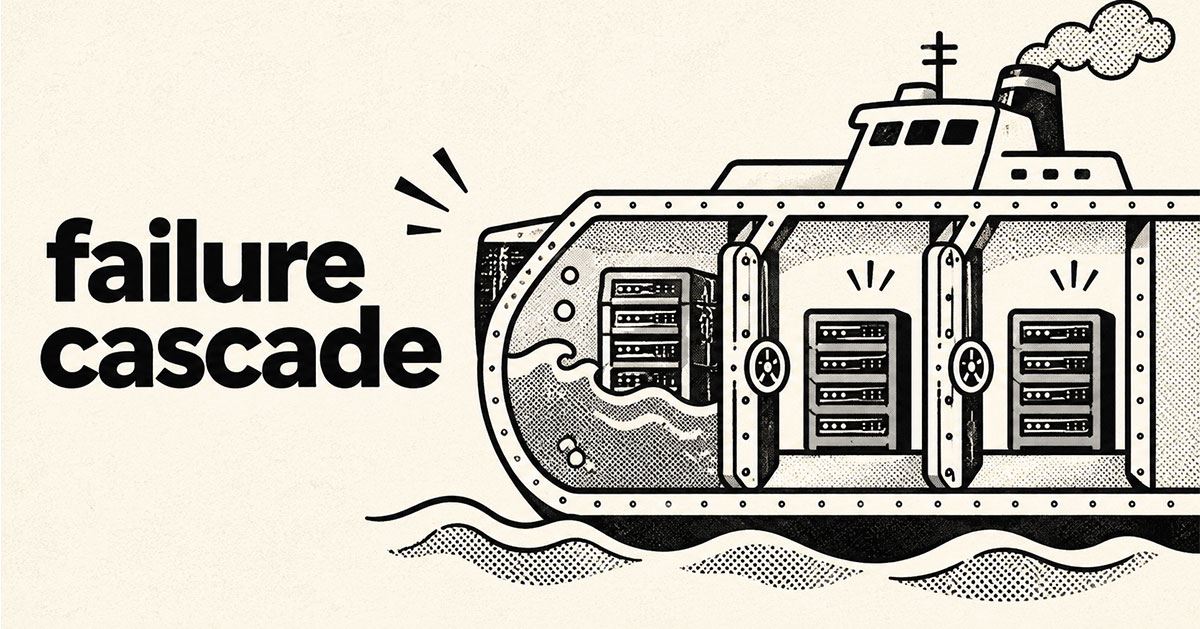
A system can pass deployment checks for three months and still fail globally in under two hours. Microsoft’s November 12, 2026 Microsoft 365 outage shows how a latent gateway defect, a routine failover and reduced capacity combined to trigger a cascading failure.
Key Takeaway: Cloud resilience is not proven by redundancy alone. Teams must test combined failure conditions, isolate capacity pools, control retry and reroute behaviour, and rehearse recovery when the usual automation fails. Microsoft’s preliminary review shows how normal failover can amplify a hidden defect when spare capacity and isolation barriers are insufficient.
The lesson applies to any product whose critical workflows depend on shared infrastructure, from customer portals to payment and communication systems. A failure that appears isolated on an architecture diagram can still cross service boundaries through shared gateways, retry loops or queues.
What Actually Changed in Microsoft’s Cloud Resilience?
Microsoft published a preliminary post-incident report on November 16, four days after incident EX1550543 disrupted Exchange Online and Microsoft 365. The outage ran from November 12 for almost 24 hours; the final review is pending. The report is under EX1550543 and MO1550821 in the admin center; Microsoft’s service health guidance shows administrators where to find it.
Microsoft did not identify a public gateway build number in the summary. No version should be inferred.
The report describes three conditions that converged. A fix for Microsoft 365 networking gateway servers, first deployed in July, contained a latent lock-contention defect that load testing missed because the lab hardware and traffic mix differed from production. About 15 hours before the outage, Teams failed over from an alternative gateway to the primary gateway that also served Exchange Online, increasing load and changing traffic patterns.
Nearly 14% of gateway capacity was unavailable because of an unrelated issue. At US peak, requests accumulated, automatic rerouting pushed load onto remaining endpoints, and the defect spread across the fleet; within two hours, more than 80% of servers were unresponsive. A separate fault also prevented normal bulkheads from containing the failure, while Exchange Online could not fail out of that gateway.
Why Does This Matter for Engineering & Product Teams?
The failure was not a simple shortage of servers. It was a compound failure: a latent defect, a routine traffic shift, reduced headroom and weak isolation turned separate conditions into a global outage. Cloud resilience engineering must address interactions between failure modes, not just each component in isolation.
Redundancy can reduce resilience when failover sends traffic to infrastructure with the same defect or too little spare capacity. Blind retries and automatic rerouting create a feedback loop, increasing queue depth, connection pressure and latency when the system has least ability to recover.
| Old assumption | Operational reality |
|---|---|
| One healthy backup is enough | Failover can move load onto a shared failure domain |
| Capacity loss is safe within average headroom | Peak demand and failover must be tested together |
| Passing tests on representative servers proves safety | Hardware, core count and traffic mix can change failure behaviour |
| Automated restart restores service | Queued demand can overwhelm recovered nodes again |
For product teams, cascading failure prevention starts with the customer journey, not the server graph. A login, checkout, booking or support journey can become unusable when one shared dependency fails, so UX needs graceful degradation and clear status communication as much as fast pages. When building production web systems, map each user journey to its dependencies before choosing redundancy.
Emetrio’s web application development and front-end performance services address separate layers: keep the service usable and the interface clear when a dependency degrades. Architecture decisions and interface fallbacks must meet at that boundary.
How to Adapt Your Stack This Week
Build cloud resilience with bulkhead architecture
- Map critical paths and shared dependencies. Trace one revenue-critical journey, such as sign-in to checkout, across identity, DNS, APIs, databases, payment providers and email. Mark shared gateways, queues and regional dependencies, then identify which failure could disable multiple features at once. Write down what remains usable if each dependency disappears.
- Test capacity planning under failover. In staging, remove 10% to 15% of a service pool while shifting traffic to the remaining pool, then add a realistic demand spike or slow dependency. Repeat on production-equivalent hardware and traffic patterns. Track p95 and p99 latency, queue depth, connection saturation, error rates and time to stable recovery, not just whether health checks stay green.
- Contain retries and rehearse recovery. Partition critical workloads with bulkheads or tenant-level pools, add circuit breakers, use bounded retries with exponential backoff and jitter, and shed non-critical work before queues become unbounded. Make operations idempotent so retries do not duplicate payments or bookings. Rehearse a recovery where restarts fail, traffic must be drained, and a rollback is unavailable.
Do not treat a green dashboard as proof of resilience. A useful exercise ends with a written recovery sequence, an owner for every action, and a test showing that one broken dependency cannot take down unrelated user journeys.
Microsoft’s own reliability architecture patterns describe bulkheads, circuit breakers, queue-based load leveling and deployment stamps as ways to contain faults. Start with the smallest high-impact path, prove the pattern under load, and expand only after the measurements improve.
Frequently Asked Questions
What caused the Microsoft 365 outage in November 2026?
Microsoft’s preliminary report points to a latent gateway defect combined with a Teams failover and nearly 14% unavailable capacity. Traffic rerouting then spread the failure across the gateway fleet, while the defect was specific to those gateway servers.
Why can automatic failover make an outage worse?
Failover can concentrate requests on fewer servers that share the same defect or resource limits. Without load shedding and isolation, retries and rerouting can amplify the original failure and consume remaining headroom.
How can a small SaaS team prevent cascading failures?
Separate critical workloads, cap retries, test reduced-capacity scenarios and define graceful degradation. Measure recovery time and user-facing availability, not only server uptime, then rehearse the recovery path in staging.
The Bottom Line & CTA
Resilience is the ability to contain a failure, preserve critical user journeys and recover without creating a second outage. Microsoft’s preliminary report is a reminder that redundancy, load testing and recovery automation must be designed as one system, then tested under combined stress.
If your application depends on shared cloud services, Emetrio can help audit its failure paths, architect safer infrastructure and build a more resilient digital product. Request a reliability audit.